Call to Adventure 📞
AI augmented QR codes are all the rage in the AI world right now. People are using AI and Stable Diffusion to generate beautiful, unique QR codes. Creating visually striking QR codes through artificial intelligence has become a trending topic in tech circles. I discovered examples shared by @rowancheung on Twitter, originally credited to u/nhciao on Reddit, showcasing beautiful, unique QR codes generated using AI and Stable Diffusion.
Featured examples include artistic interpretations like an ancient village scene, Japanese painting style, and a printed circuit board design—all while maintaining QR code functionality.
Down the Rabbit Hole 🐇
Investigation revealed that most QR codes were generated through two primary platforms:
- QR Code AI Art Generator (Hugging Face Space)
- Quick QR Art Discord Channel
I initially struggled with the Hugging Face Space, mistakenly attempting to upload background images instead of QR codes. After reviewing the Quick QR Art documentation and studying Discord channel prompts, I successfully created multiple examples.
Sample Creations with Prompts
Funky:
graphic design, primary colors, primitive shapes --qrw 0.95 --steps 16 --seed 7581777480381614Doggos:
dogs playing in a green prairie under the sun --qrw 0.95 --steps 16 --seed 8160813035284072Mountains:
mountains and trees, aesthetic, realistic --presets intricate-studio --qrw 0.9 --steps 18 --seed 5676602113908140Surfacing 🌇
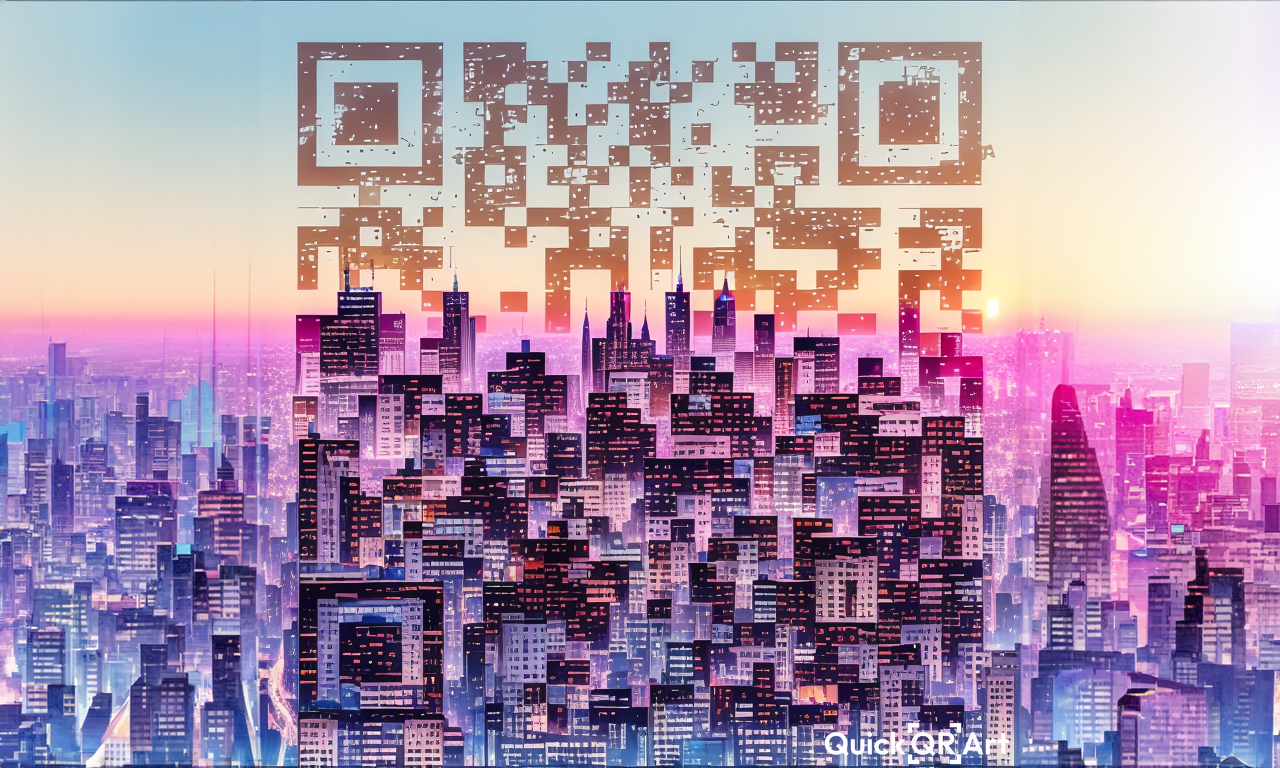
After experimenting with Quick QR Art’s Discord bot, I generated a city skyline QR code for the website using the prompt:
city skyline at sunset, aesthetic, realistic --presets intricate-studio --qrw 0.95 --steps 18 --seed 6255550864009378Bonus 🤑
I extended the QR code image using Adobe Photoshop’s Generative Fill feature:
- Created a 1280×720 pixel canvas
- Centered the QR code
- Removed edge artifacts via selection tools
- Inverted the selection to apply generative fill with the prompt: “Extend the city without the QR code artifacts in the sky or buildings”
This technique successfully expanded the cityscape background while preserving QR code functionality, resulting in a beautiful cover image.
Have you tried creating AI-generated QR codes? Share your results!